

Follow these THREE steps to ensure you receive alerts:
- Register your phone number with JustAir air quality monitoring system
- Subscribe to Bloomington-Normal’s air quality monitors for local data
- Set up text message and/or email alerts
1. Register your phone number with JustAir
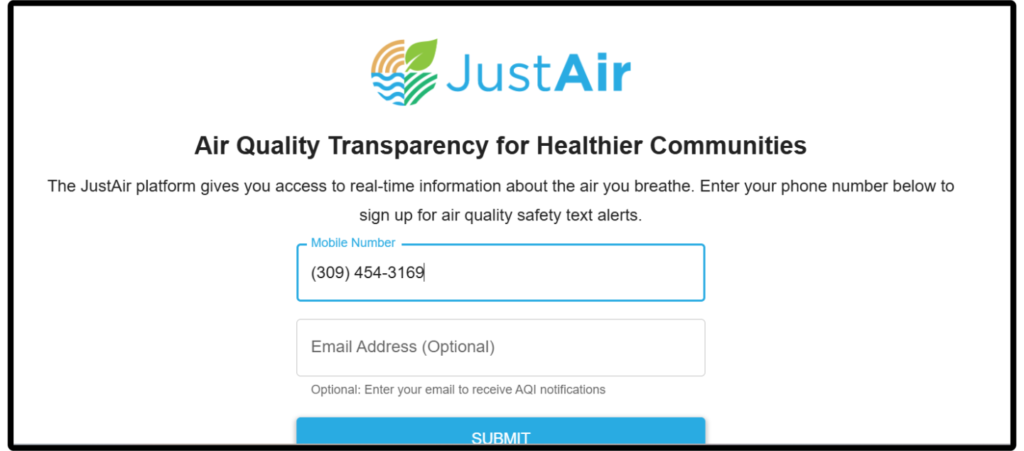
a. Enter your phone number
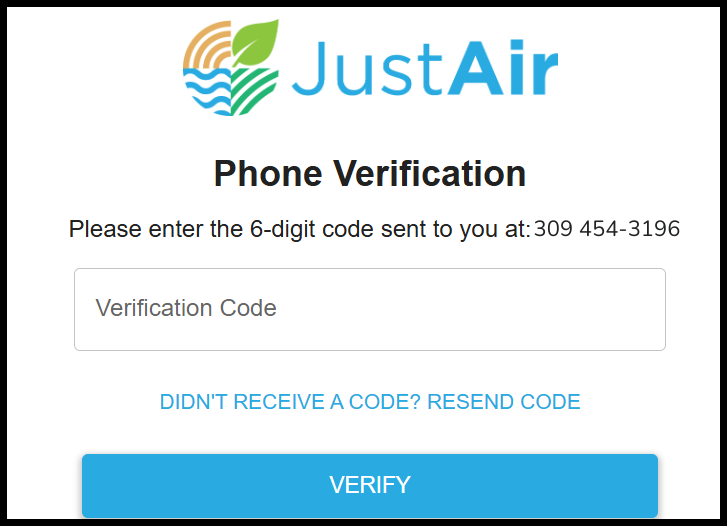
b. Verify your phone number
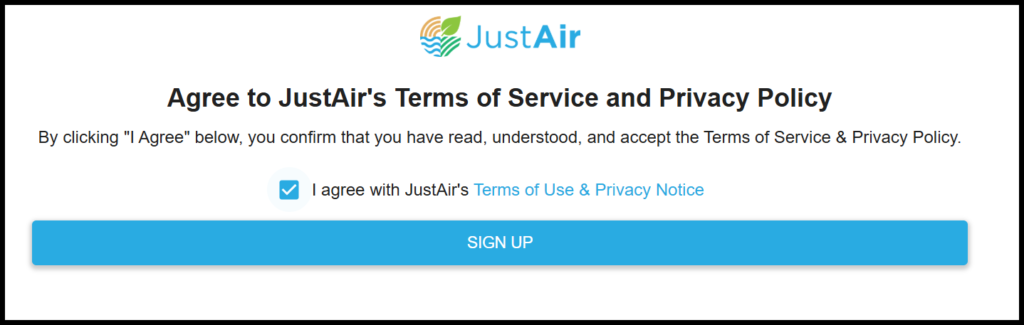
c. Agree to Terms & Conditions
2. Subscribe to the local air monitors
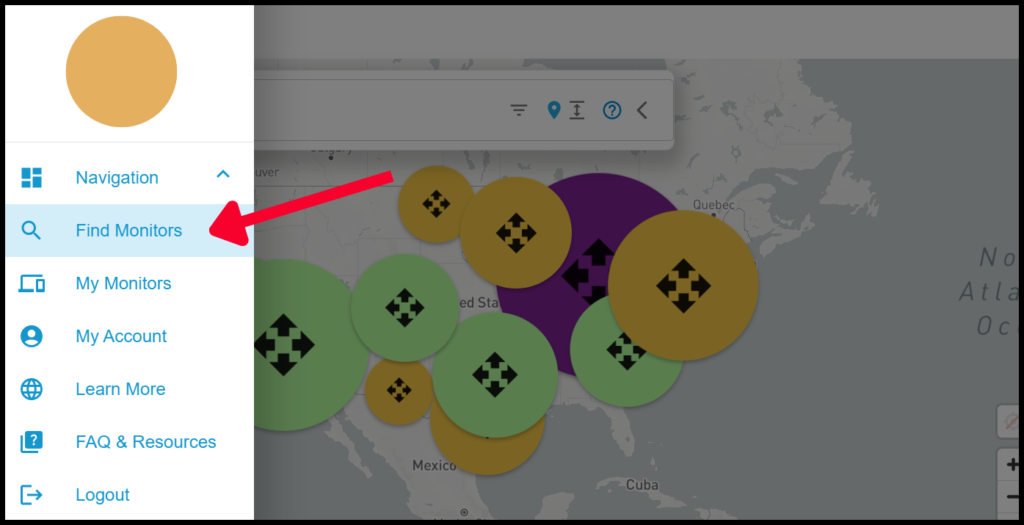
a. Click on “Find Monitors” in the sidebar
b. Search for “Bloomington-Normal, IL”
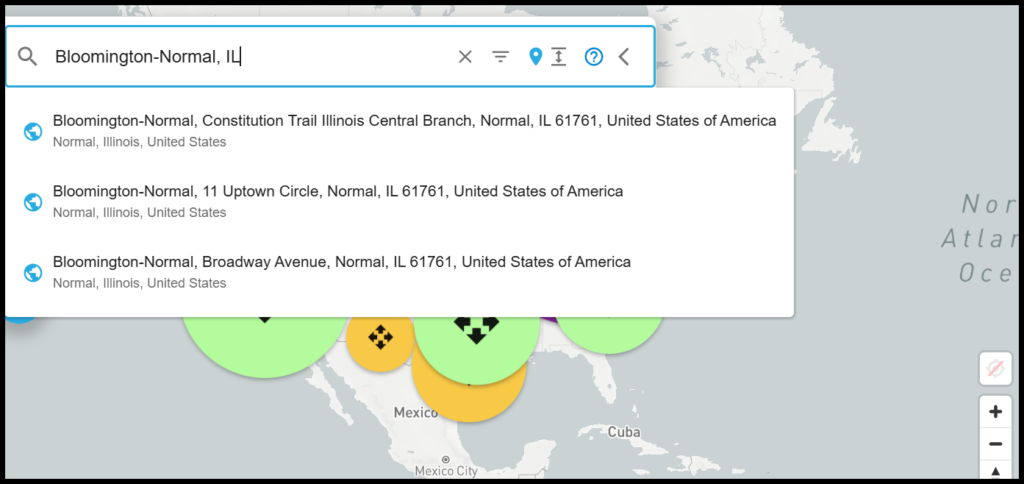
c. Use the map tool to locate the 3 monitors (Fairview Park, Mt. Pisgah, BNWRD)
AND subscribe by clicking the heart icon
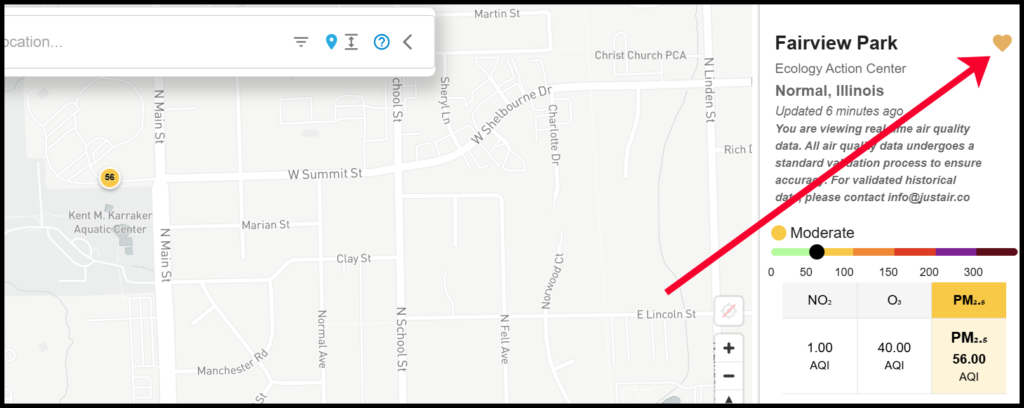
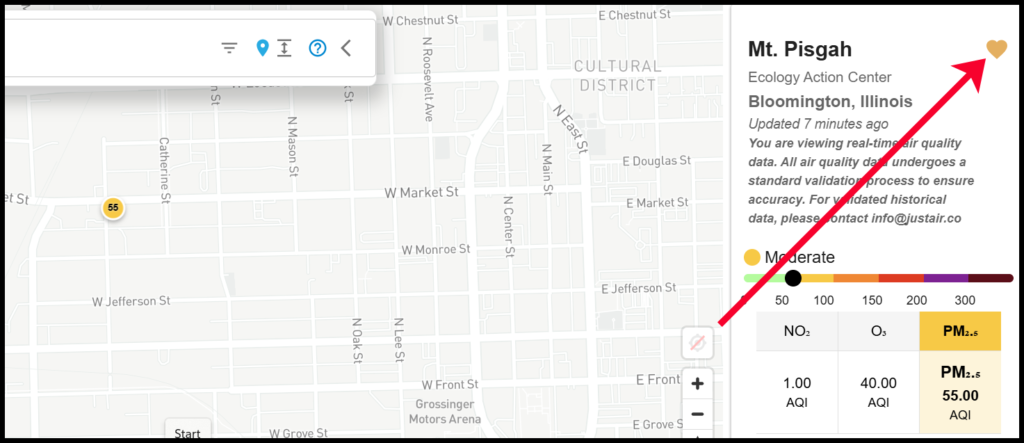
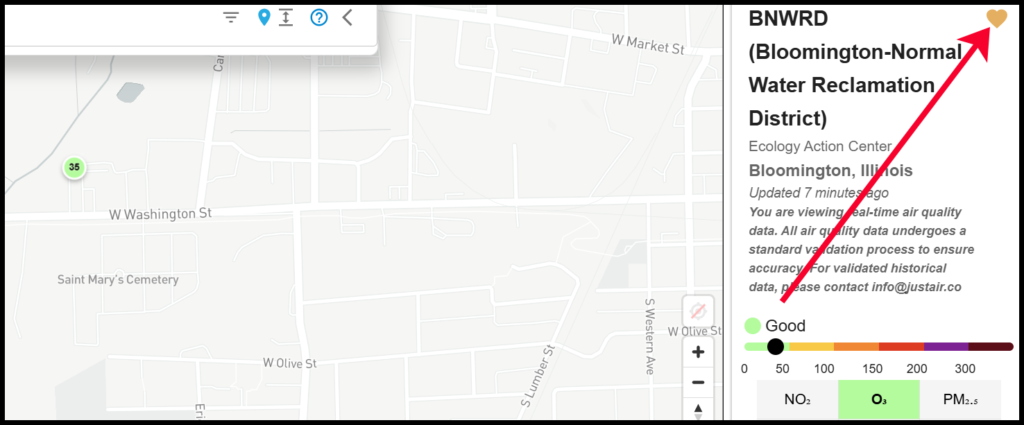
Bloomington-Normal has these 3 monitors, but with your JustAir account you can subscribe to as many air monitors as you want across the US!
3. Turn on text and/or email notifications
a. Click on “My Account” in the sidebar
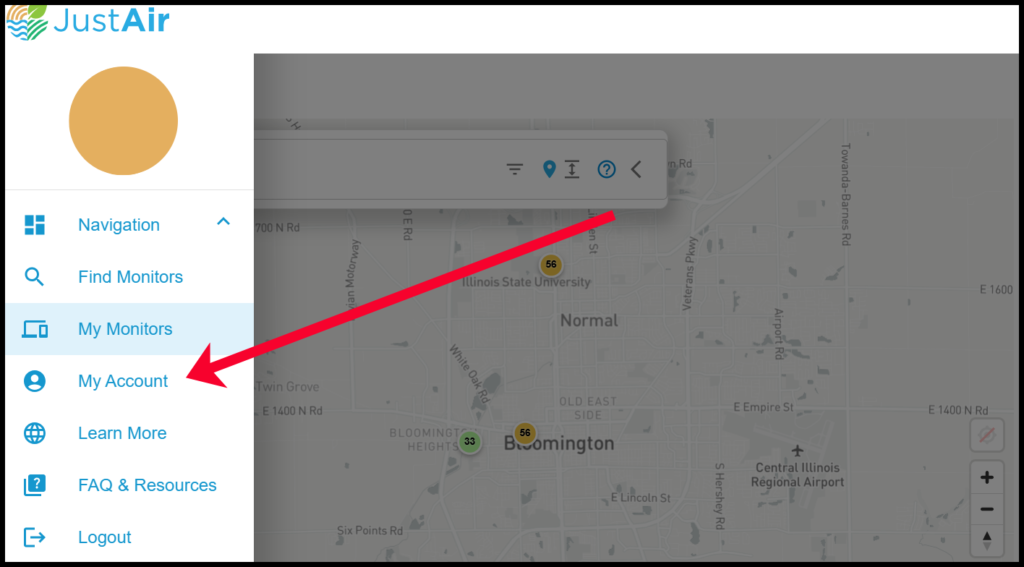
b. Make sure “AQI Text Notifications” and/or “AQI Email Notifications” is turned on
